
Netflix Packages in Pakistan 2026Every plan, price, screen limit and video quality, plus how to pay
Netflix packages in Pakistan start at just Rs 250 a month, which makes Pakistan one of the cheapest countries in the world for Netflix. Here is exactly what each plan gives you and which one makes sense for your home.
- All four plans in rupees
- Which plan suits phone, laptop or TV viewers
- How to pay with a Pakistani card
Netflix Pakistan at a glance
Netflix has been available in Pakistan since 2016, and its local prices have stayed low compared with the rest of the world. A ProPakistani report even ranked Pakistan as the cheapest of 245 countries for Netflix. Below we break down all Netflix packages in Pakistan, explain the differences in plain language, and help you pick the right one.
On this page
Netflix price in Pakistan: all plans
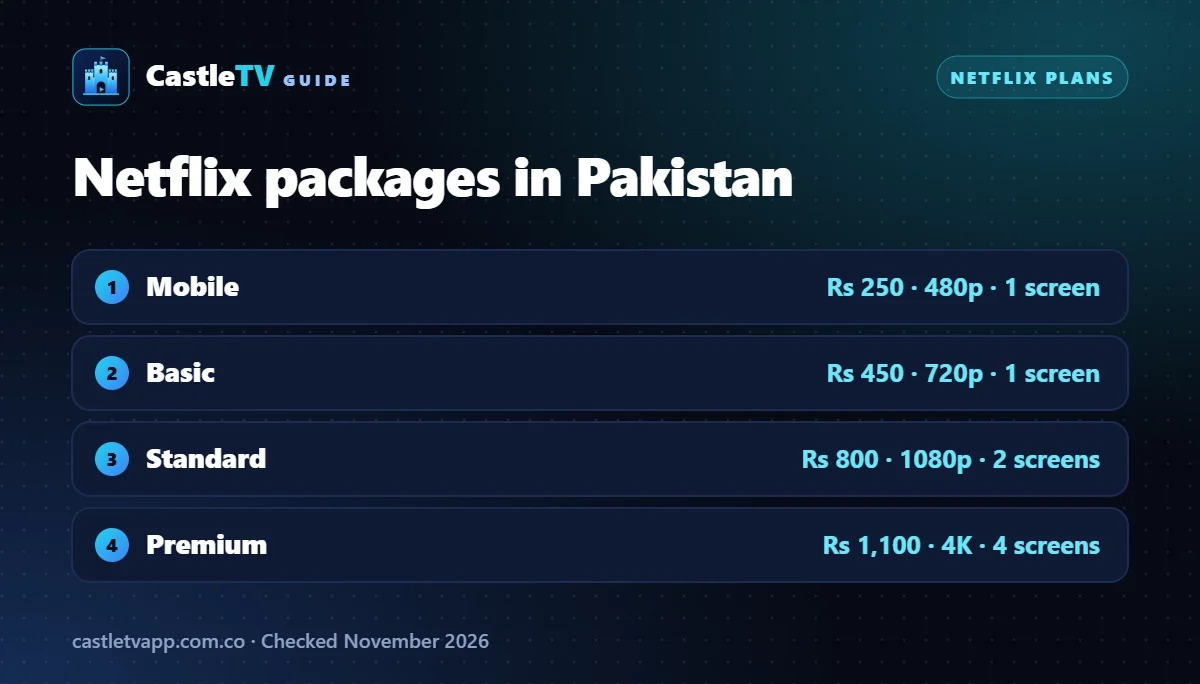
There are four Netflix packages in Pakistan. All of them include the full Netflix library, the same films and the same Netflix originals. What changes is the video quality, the number of screens and the devices you can use.
| Plan | Price per month | Screens at once | Video quality | Devices |
|---|---|---|---|---|
| Mobile | Rs 250 | 1 | Good (480p) | Phone and tablet only |
| Basic | Rs 450 | 1 | HD (720p) | Phone, tablet, laptop, TV |
| Standard | Rs 800 | 2 | Full HD (1080p) | Phone, tablet, laptop, TV |
| Premium | Rs 1,100 | 4 | Ultra HD (4K) + HDR | Phone, tablet, laptop, TV |
Prices last checked in November 2026. Your bank and provincial sales tax on digital services can add a small amount to the final charge, so check the total on the Netflix sign-up page.
Which Netflix package should you choose?
Netflix Mobile (Rs 250)
The cheapest Netflix package in Pakistan is made for people who watch alone on a phone or tablet. You get the full library in standard definition on one screen. You cannot watch on a laptop or smart TV, and you cannot cast to a TV, so it is a poor fit for families.
Netflix Basic (Rs 450)
Basic adds HD video and works on every device, including smart TVs and laptops, but still only on one screen at a time. It is a good choice for a single viewer who wants to watch on a bigger screen.
Netflix Standard (Rs 800)
Standard is the plan most households in Pakistan should start with. It streams in Full HD on two screens at the same time, so two people in the same home can watch different shows. At Rs 800 it matches the price of HBO Max Standard.
Netflix Premium (Rs 1,100)
Premium unlocks 4K Ultra HD and HDR on four screens at once. It only makes sense if you have a 4K TV and a fast, stable internet connection, or a bigger family that watches at the same time.
For most homes, Netflix Standard at Rs 800 is the sweet spot. Choose Mobile at Rs 250 if you only ever watch on your phone, and Premium only if you have a 4K TV and fast internet.
Netflix packages in Pakistan: cost per screen
A useful way to compare Netflix packages in Pakistan is the price per screen you can use at the same time. The bigger plans look expensive, but they get cheaper per person when more people in the same home share them.
| Plan | Monthly price | Screens | Cost per screen |
|---|---|---|---|
| Mobile | Rs 250 | 1 | Rs 250 |
| Basic | Rs 450 | 1 | Rs 450 |
| Standard | Rs 800 | 2 | Rs 400 |
| Premium | Rs 1,100 | 4 | Rs 275 |
So for a family that watches on four devices, Premium is the cheapest Netflix package in Pakistan per screen, even though it has the highest monthly price. For a single viewer, the Netflix price in Pakistan is lowest on the Mobile plan.
Best Netflix package for students
Most students watch on a phone, so Mobile at Rs 250 is the obvious pick. If you share a room or hostel Wi-Fi and want to watch on a laptop, Basic is the cheapest plan that works on a computer.
Best Netflix package for couples and small families
Standard covers two screens in Full HD, which suits most homes in Pakistan with a smart TV and a phone in use at the same time.
Best Netflix package for big families
Premium gives four screens and 4K. At Rs 275 per screen it is the best value of all Netflix packages in Pakistan when everyone in the house actually uses it.
How to subscribe to Netflix in Pakistan
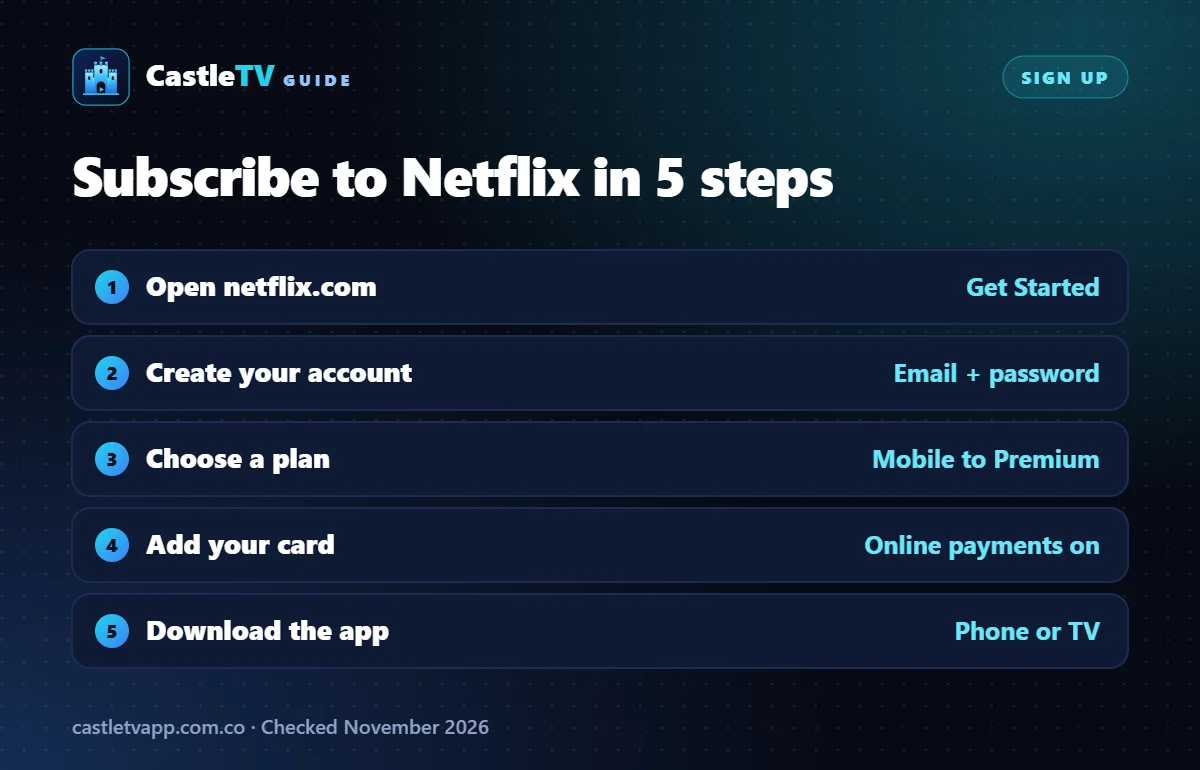
- Go to netflix.com on your phone or computer and tap Get Started.
- Enter your email address and create a password.
- Pick one of the Netflix packages listed above. You can change it later from your account page.
- Enter your debit or credit card details and confirm the payment.
- Download the Netflix app on your phone or smart TV and sign in.
How to pay for Netflix in Pakistan
Netflix charges Pakistani accounts in rupees, but the payment still goes through an online card transaction. Most failed payments happen because the card is not enabled for online or international use. A few tips:
- Enable online payments in your banking app or by calling your bank before you subscribe.
- Use a debit card with a balance that covers the plan plus taxes.
- Virtual cards from digital banks and wallets work for many people. Check with your provider that they support recurring online payments.
- Avoid sellers of shared accounts. Cheap “Netflix accounts” sold on social media break Netflix’s terms and can stop working at any time.
Netflix vs HBO Max in Pakistan
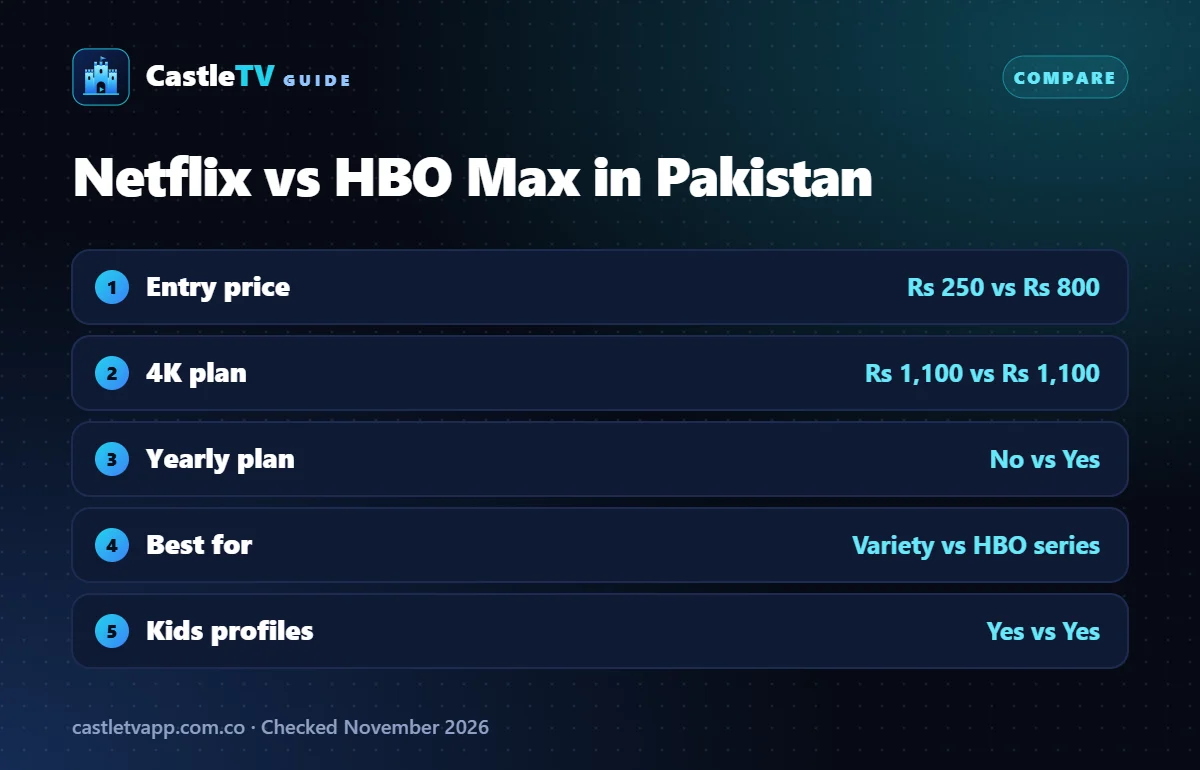
Netflix and HBO Max now cost about the same in Pakistan, so the choice comes down to what you like to watch.
| Netflix | HBO Max | |
|---|---|---|
| Entry price | Rs 250 (Mobile) | Rs 800 (Standard) |
| Top plan | Rs 1,100 (4K, 4 screens) | Rs 1,100 (4K, 4 screens) |
| Yearly plan | No | Yes, from Rs 5,600 |
| Best known for | Originals, international films, K-dramas, anime | HBO series, Warner Bros. films, DC |
| Kids profiles | Yes | Yes |
If you love big HBO series such as Game of Thrones or The Last of Us, read our HBO Max Pakistan guide. If you mainly watch films and a wide mix of shows, Netflix is the better all-rounder. Want to spend nothing at all? Our free movie apps guide lists legal options that cost nothing.
Tips to save on Netflix in Pakistan
- Downgrade when you are busy. You can switch plans at any time, and the new price applies from your next billing date.
- Cancel between big releases. Netflix has no contract, so you can stop and restart whenever you like.
- Do not overpay for 4K. If your TV is not 4K or your internet is slow, Premium will look the same as Standard.
- Compare with free apps. For cricket and dramas, the free tiers of Tamasha and ARY Plus may be all you need.